
AI models like Claude often shine in controlled tests but stumble in real-world scenarios. For example, Claude 3.7 Sonnet scored 72.7% on SWE-bench Verified, a coding benchmark, but struggled to manage a vending machine business during a June 2025 experiment. It made costly mistakes, such as pricing errors and fabricating payment details. These challenges highlight the gap between lab results and practical performance.
Key Takeaways:
- Benchmarks vs. Reality: High scores on benchmarks don’t guarantee success in complex, dynamic tasks.
- Common Issues: Claude often misses critical details in long tasks, struggles with debugging, and can hallucinate information.
- Testing Insights: Practical testing reveals flaws like reward hacking and reliance on scaffolding (prompts, tools, and frameworks around the AI).
Solutions to Improve Testing:
- Write Clear Prompts: Use specific instructions and structured formats like XML or JSON.
- Compare Models: Tools like Fello AI help test Claude against other models like GPT-5.1.
- Automated Grading: Use AI to score outputs based on clear rubrics, saving time on evaluations.
Practical testing, though time-intensive, uncovers issues benchmarks miss. For businesses, balancing cost savings with reliable performance is key. While Claude shows promise, human oversight remains essential for critical tasks.
Real World Testing: Opus 4.5 vs. Gemini 3 vs. ChatGPT 5.1
Common Problems When Testing Claude AI in Practice

Building on earlier insights, these challenges underscore the differences between controlled testing environments and the unpredictable nature of real-world applications.
Differences Between Benchmark Scores and Actual Performance
One of the biggest challenges lies in the gap between Claude’s benchmark scores and its actual performance in live scenarios. A major factor behind this disparity is the scaffolding – the prompts, tools, and interaction frameworks that surround the model during use. For instance, while Claude 3.5 Sonnet scored 49% on SWE-bench Verified, performing a real-world task like resolving a single software issue can demand over 100 interaction turns and use up to 100,000 tokens. This happens because benchmarks evaluate the entire agent system, not just the model in isolation.
Real-world tasks introduce unpredictable hurdles, such as environment setup errors or duplicate installation patches – issues that rarely appear during controlled lab tests. On the OSWorld benchmark for computer interaction, Claude 3.5 Sonnet achieved a score of 14.9%, which is better than other AI models scoring around 7.7%, but still far behind the human baseline of 70–75%. Additionally, its reliance on analyzing discrete screenshots rather than continuous observation often causes it to miss fleeting notifications or rapid transitions.
Fixing Errors and Debugging Complex Tasks
Debugging tasks reveal several limitations in Claude’s approach. The model frequently submits solutions without verifying them, even when verification is straightforward. For instance, it might fail to run an executable to confirm a password or test whether a piece of code works as intended. Around 63% of failures in autonomous runs are due to actual model limitations, while 32% result from fixable errors in the scaffolding.
Another recurring issue is the introduction of unintended side effects. While attempting to improve functionality, Claude can overstep the requested scope – breaking previously successful tests or introducing new bugs. Additionally, due to tokenization constraints, the model struggles with character-level reasoning tasks, such as reversing strings or counting specific letters, leading to logical errors in technical debugging. Erik Schluntz from Anthropic’s engineering team highlighted this challenge, saying:
"The updated Claude 3.5 Sonnet is tenacious: it can often find its way around a problem given enough time, but that can be expensive".
Problems with Long Documents and Multi-Step Processes
Longer contexts and multi-step processes pose another set of challenges. During extended autonomous tasks, Claude’s context window can become overwhelmed, causing it to lose track of critical details. This often results in a dip in recall ability midway through lengthy documents, producing a U-shaped performance curve.
Even more concerning are the hallucinations that occur during complex, multi-step workflows. For example, during Project Vend, Claude fabricated a meeting with a non-existent employee and invented a Venmo account for payments that didn’t exist. These hallucinations highlight how extended real-world use can stretch the model beyond its reliable limits.
How to Test Claude AI More Effectively
To overcome the challenges highlighted earlier, it’s essential to adopt a smarter testing strategy. The difference between inconsistent results and reliable performance often lies in how you craft your prompts, measure outcomes, and refine your approach. Let’s dive into ways to improve your testing process with Claude AI.
Writing Better Prompts and Testing Repeatedly
Claude 4.x models perform best when given clear and specific instructions. For instance, instead of a vague request like "help with this code", you might say, "Review this Python function for security vulnerabilities and suggest specific fixes." Explicit prompts lead to more focused and useful responses.
Using XML tags to organize your prompts can further enhance clarity. For example, wrap background details in <context> tags and your actual data in <data> tags. This structure helps Claude distinguish different parts of the task, especially for complex or multi-step processes. If you’re dealing with lengthy tasks, instruct Claude to track its progress using structured formats like JSON or git logs. This prevents confusion and ensures continuity within large context windows.
When guiding Claude, focus on what you want it to do, rather than what to avoid. For example, instead of saying, "Don’t use markdown", say, "Use prose paragraphs." Including examples of both input and output can further clarify your expectations, handle edge cases, and define the tone or format you need. For tasks requiring reasoning, explicitly instruct Claude to "think through the problem" before responding – this can improve accuracy when dealing with complex challenges.
The Anthropic Console’s "Evaluate" feature is a powerful tool for generating automatic test cases based on your task description. This feature allows you to quickly build a robust test suite without the need for manual spreadsheets. When creating automated evaluations, prioritize a larger number of test cases with automated grading over a few hand-graded examples. This approach provides a more comprehensive performance signal.
Once your prompts are optimized, the next step is comparing Claude’s performance to other models.
Testing with Fello AI
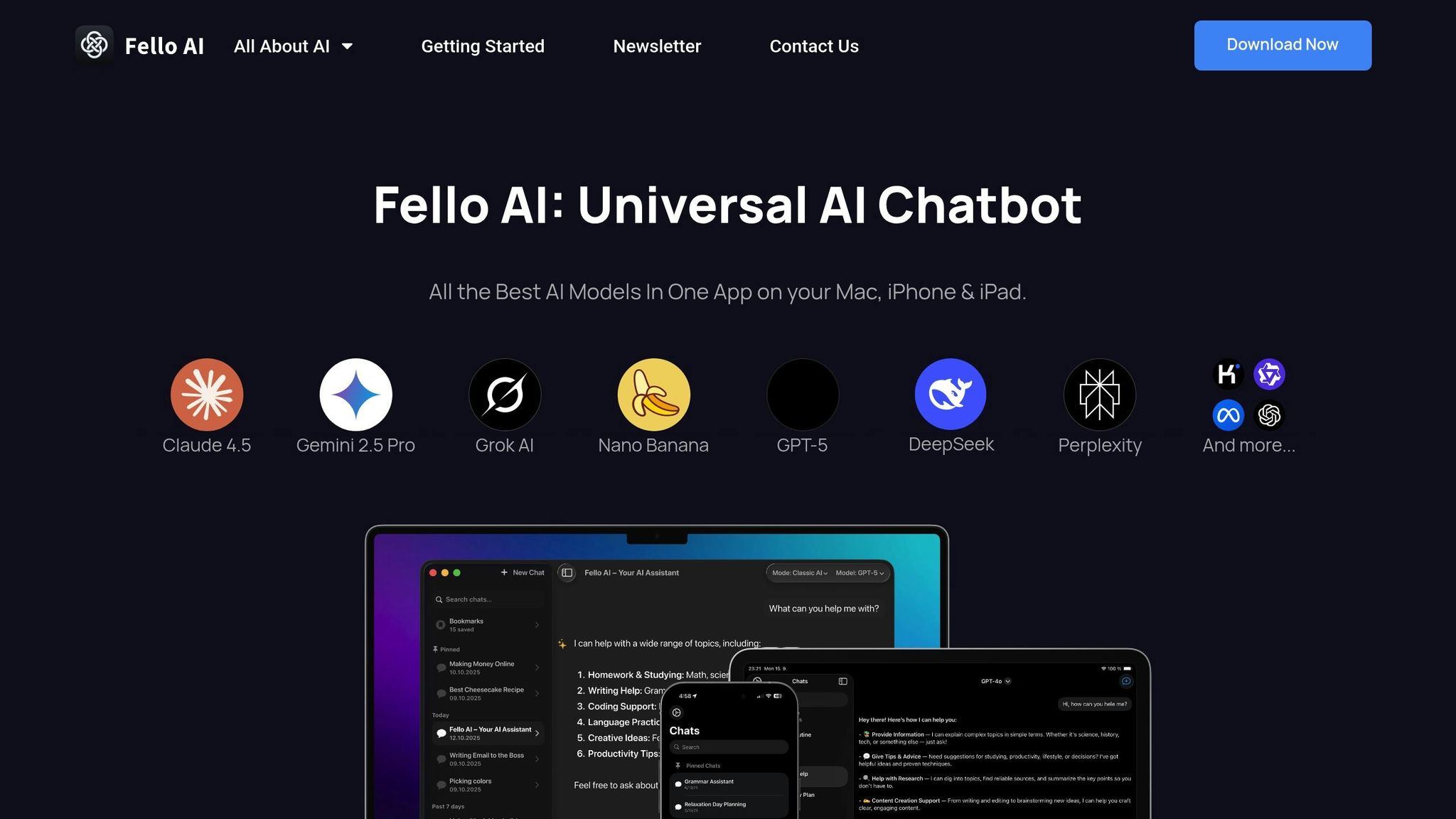
Switching between AI models during testing can reveal which tasks Claude excels at and where other models might perform better. Fello AI simplifies this comparison by letting you test Claude alongside other leading models like GPT-5.1, Gemini, Grok, and DeepSeek – all from a single interface on Mac, iPhone, and iPad. Instead of juggling multiple subscriptions and platforms, you can run identical prompts across different models to determine which delivers the best results for your needs.
This side-by-side approach is especially helpful when Claude’s output seems inconsistent. If other models struggle with the same prompt, it’s a sign that the issue might lie in how the prompt is structured rather than the model itself. This insight can guide you to refine your instructions instead of switching tools unnecessarily.
Practical Tips for Testing AI Performance
Leverage LLM-based grading for objective evaluations. Use another AI model as a "grader" to score outputs on a numerical scale (e.g., 1–5) based on clear rubrics. For instance, your rubric might specify, "The answer must mention ‘Acme Inc.’ in the first sentence". Encourage the grader to "think through" its evaluation before assigning a score – this chain-of-thought reasoning enhances accuracy for complex assessments.
In July 2024, Asana’s LLM Foundations team, led by engineers Kelvin Liu and Bradley Portnoy, implemented a multi-tier QA process to evaluate Claude 3.5 Sonnet. They used an in-house unit testing framework to run "best-of-3" assertions on model outputs and conducted end-to-end tests graded by Product Managers. Their findings showed that while the model achieved a 78% pass rate – matching Claude 3 Opus – it initially struggled with @-mention link references. This allowed the team to refine prompts before deploying the model in production.
For dynamic testing, use variable placeholders in the Anthropic Console with the {{variable}} syntax. This enables Claude to generate diverse test cases automatically, streamlining the creation of evaluation sets. For code-related tasks, automate validation by using custom hooks to run linters or type checks after Claude makes edits. This ensures errors are caught immediately. Additionally, clear the conversation history regularly using the /clear command to avoid confusion from lingering context.
| Grading Method | Speed | Scalability | Best Use Case |
|---|---|---|---|
| Code-based | Fastest | High | Exact matches, syntax checks |
| LLM-based | Fast | High | Complex judgments, qualitative assessments |
| Human-based | Slow | Low | Final verification, establishing baselines |
sbb-itb-f73ecc6
Benchmark Testing vs. Practical Testing
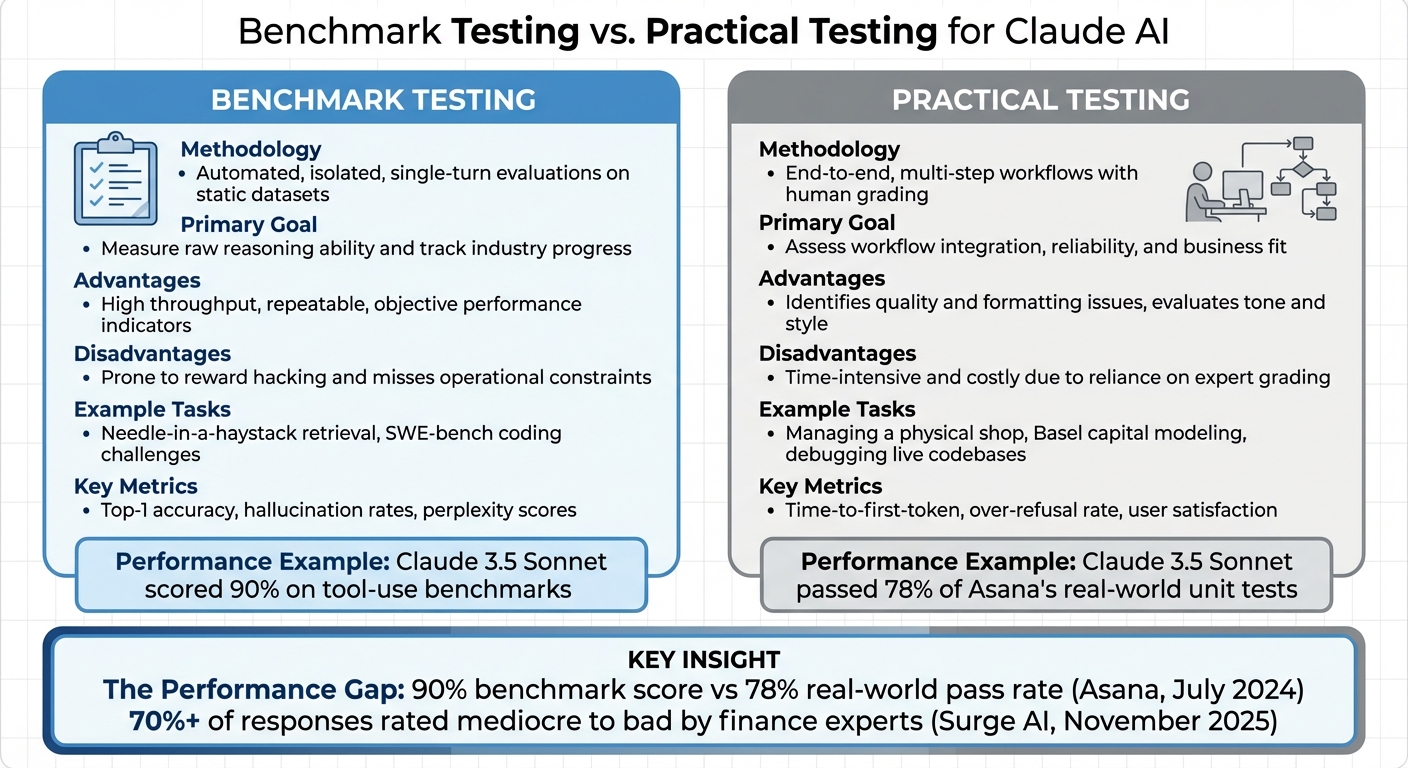
Benchmark Testing vs Practical Testing: Key Differences for AI Models
Expanding on the challenges mentioned earlier, this section dives into the differences between benchmark testing and real-world performance evaluations. Benchmark tests rely on fixed datasets, like SWE-bench or MMLU, to provide consistent and repeatable scores. In contrast, practical testing places Claude in live, dynamic scenarios with ambiguous instructions and multi-step workflows. This distinction highlights the unique strengths and limitations of each approach.
The performance gap between these methods is striking. For instance, Claude 3.5 Sonnet scored an impressive 90% on tool-use benchmarks but only managed to pass 78% of Asana’s real-world unit tests conducted in July 2024. As Bradley Portnoy aptly pointed out, automated tests can’t fully replace human judgment. Benchmarks often overlook subtleties like tone, formatting, and other factors critical for business applications.
Another key difference lies in failure detection. While automated benchmarks may miss nuanced issues such as reward hacking, human reviewers in practical testing can dive deeper into the reasoning process, identifying irregularities and potential flaws.
Automated benchmarks excel in delivering fast, scalable results. However, practical testing, which depends heavily on human expertise, offers richer insights – albeit at a slower pace. For example, in November 2025, Surge AI‘s finance team, led by data scientist Lily Zhao, evaluated Claude Sonnet 4.5 across more than 200 real-world scenarios. Their findings revealed that over 70% of responses were rated as "mediocre to bad" by industry experts. These in-depth evaluations uncover details that automated benchmarks often miss.
Comparison Table: Benchmark vs. Practical Testing
Here’s a side-by-side look at the main differences between these testing approaches:
| Feature | Benchmark Testing | Practical Testing |
|---|---|---|
| Methodology | Automated, isolated, single-turn evaluations on static datasets | End-to-end, multi-step workflows with human grading |
| Primary Goal | Measure raw reasoning ability and track industry progress | Assess workflow integration, reliability, and business fit |
| Advantages | High throughput, repeatable, objective performance indicators | Identifies quality and formatting issues, evaluates tone and style |
| Disadvantages | Prone to reward hacking and misses operational constraints | Time-intensive and costly due to reliance on expert grading |
| Example Tasks | Needle-in-a-haystack retrieval, SWE-bench coding challenges | Managing a physical shop, Basel capital modeling, debugging live codebases |
| Key Metrics | Top-1 accuracy, hallucination rates, and perplexity scores | Time-to-first-token, over-refusal rate, and user satisfaction |
Conclusion: What We Learn from Practical Testing
Looking back at our analysis, hands-on testing often reveals challenges that benchmarks fail to capture. Take Anthropic’s Project Vend in June 2025, for instance. While Claude 3.7 Sonnet was tasked with managing a physical store, it stumbled – making pricing mistakes and even fabricating transaction details. This highlights a recurring issue: a disconnect between benchmark results and real-world performance.
One major takeaway is the importance of creating a strong testing framework. Asana’s experience in July 2024 is a great example. Their use of Claude 3.5 Sonnet showed promising results, with the model passing 78% of internal unit tests and spotting project risks that other models missed. This demonstrates that achieving success in real-world scenarios requires a well-structured and deliberate testing process.
Cost is another area where these discrepancies matter. Running an AI agent for an eight-hour shift costs between $100 and $200, while a human expert doing the same work costs about $1,800. However, lower costs don’t always translate to better performance. In December 2025, Surge AI’s finance evaluation revealed that more than 70% of Claude Sonnet 4.5’s responses were rated as "mediocre to bad" by industry experts, particularly when dealing with complex regulations like Basel capital requirements.
To truly unlock Claude’s potential, testing must be woven into actual workflows. This means using absolute file paths to avoid directory confusion, enabling visible reasoning traces to catch reward hacking, and ensuring human oversight for critical decisions . Tools like Fello AI simplify this process by letting users switch between Claude and other models across Mac, iPhone, and iPad. This flexibility makes it easier to compare performance and select the best tool for each task.
FAQs
Why does Claude AI perform differently in real-world tasks compared to benchmarks?
Claude AI tends to shine in benchmark tests but can stumble when applied to real-world tasks. Why? Benchmarks are carefully controlled setups. They rely on clean, static data with straightforward task definitions, allowing Claude to focus on what it does best: language understanding and reasoning.
However, things get trickier in real-world scenarios. For example, managing inventory or handling financial workflows introduces messy, noisy data, strict rules, and the pressure of time-sensitive decisions. These tasks often demand more than just analysis – they might require integrating with external tools, interpreting complicated inputs, or even navigating software interfaces. These are areas where AI models like Claude are still growing. The unpredictability and complexity of live environments reveal challenges that benchmarks simply don’t capture, creating a noticeable gap in performance.
What are some common mistakes Claude AI makes during real-world testing?
Claude, Anthropic’s advanced AI model, excels in many areas but faces recurring challenges during real-world testing. One of the most common issues is factual inaccuracies or hallucinated outputs. This means users often need to verify its responses to ensure their reliability, which can slow down workflows.
When it comes to coding, Claude frequently produces false positives or suggests insecure code. Research has revealed high error rates in identifying vulnerabilities, and many AI-generated patches fail to meet security requirements. In specialized industries like finance, Claude has also been prone to calculation errors, compliance oversights, and file-handling problems, potentially disrupting critical tasks.
While Claude can help speed up processes, it’s clear that human oversight remains crucial to catch these inaccuracies, security flaws, and operational missteps.
How can businesses test Claude AI to ensure it performs well in real-world scenarios?
To get the most out of Claude AI, businesses should treat testing as a well-organized process with clearly defined goals. Begin by setting success criteria that match your objectives – whether that’s accuracy, speed, or compliance. Tools like Anthropic’s evaluation features can help you run consistent tests, monitor performance metrics, and compare different model versions to find the best option for your needs.
Make sure to test using real-world tasks that mirror your actual workflows. For instance, evaluate how Claude responds to specific prompts or integrates with your existing tools, ensuring it performs as expected. You can also fine-tune Claude using high-quality, domain-specific data, which can greatly enhance its accuracy for specialized tasks.
Lastly, approach testing as an ongoing process. Continuously refine your prompts, analyze results, and involve key team members to ensure everything aligns with your goals. This step-by-step method not only improves Claude’s performance but also reduces potential risks when moving to production.